
How to Write Better Captions Using AI for Instagram, LinkedIn & X
Master platform truncation limits, generate 5 hook angles per visual, and write natural Instagram, LinkedIn, and X captions with copy-paste AI prompts.

- Read time
- 7 min read
- Sections
- 11
- FAQs answered
- 6
- Topic
- Writing & Content
To write better captions using AI for Instagram, LinkedIn, and X, stop asking for "a catchy caption with hashtags" and instead prompt for platform-specific opening hooks, mobile-friendly line breaks, and a single natural call to action. Each network truncates text at a different character count and rewards a different reader mindset, so your prompt must specify the platform, visual context, and desired action.
Even great photos, carousels, and charts underperform when paired with a weak caption. Default AI captions are easy to spot—they open with cheesy rhetorical questions ("Ever wondered how to level up? 🚀"), bury the point in a wall of text, and end with 15 generic hashtags. With a focused 5-step caption workflow, you can turn raw notes about any visual or idea into sharp, platform-native captions in seconds.
What You'll Need
You can write high-converting captions using any flagship AI chat tool alongside a quick grammar check. Here is how the top options compare:
| Tool | Best For | Free Tier | Paid Tier |
|---|---|---|---|
| Claude | Natural, conversational LinkedIn and Instagram storytelling captions | Daily usage caps on current Sonnet models | Claude Pro ($20/mo) for Projects storing your brand voice |
| ChatGPT | Rapid hook variations, X character-limit trimming, and CTA testing | Standard model access with daily limits | ChatGPT Plus ($20/mo) for Custom GPTs and image-to-caption vision |
| Gemini | Brainstorming captions alongside Google Drive media assets | Standard Gemini web access | Google AI Pro ($19.99/mo) for Workspace integration |
| Grammarly | Tightening wordy sentences and fixing punctuation before posting | Basic spelling and grammar checks | Grammarly Pro ($12/mo billed annually) for conciseness and tone |
| Notion AI | Drafting and storing caption banks inside your social calendar | Limited trial AI responses | Notion Plus + AI add-on for inline caption drafting |
Step 1: Give AI the Visual Context and Goal
A caption never exists in a vacuum—it works alongside a photo, carousel, chart, or link. Tell the AI what the reader is actually looking at and what single action you want them to take:
- Visual context: "This is a 6-slide Instagram carousel showing our 3-step onboarding checklist" or "This is a selfie at a coffee shop sharing a lesson about client boundaries."
- Single goal: Choose one—earn saves/bookmarks, spark comments, or drive profile/link clicks.
- Core takeaway: Write 1–2 messy bullet points in your own words so the caption has a real point of view.
Step 2: Master "The Fold" for Each Platform
Every platform hides the rest of your caption behind a "See more" or "...more" button. If your first 1–2 lines do not earn the tap, the rest of the caption is invisible:
- Instagram (125 characters before truncation): Your first sentence must hook curiosity or state a crisp benefit before "...more" cuts it off. Keep total captions either ultra-punchy (1–3 lines) or structured mini-guides (80–150 words) for carousels.
- LinkedIn (~210 characters before "See more"): Write a 2-line opener with a line break between them—a bold claim, specific number, or contrarian observation—followed by scannable 1–2 sentence paragraphs.
- X / Twitter (280 characters total): No truncation safety net on standard posts. Aim for 180–240 characters so the entire thought lands in one glance, with zero hashtags.
Step 3: Generate 5 Hook Angles Before Writing the Caption
Do not settle for the first opener AI suggests. Ask for five distinct hook angles for the exact same visual:
- The Mistake Hook: "Most teams waste 4 hours a week doing X wrong."
- The Specific Result Hook: "We cut onboarding time from 9 days to 48 hours with one checklist."
- The Contrarian Hook: "Stop obsessing over posting daily."
- The Micro-Story Hook: "A client asked me a blunt question yesterday."
- The Direct Utility Hook: "Save this 3-step template before your next launch."
Pick the hook that fits your brand voice best, then let AI draft the middle and closing lines around it.
Step 4: Replace Salesy CTAs With Natural Prompts
Generic endings like "Link in bio! 🔥" or "Comment below and let's connect!" feel robotic and hurt engagement. Instruct AI to end captions with low-friction, specific calls to action:
- For saves: "Bookmark this checklist for your next sprint."
- For comments: "Which step slows your team down most—Step 2 or Step 3?"
- For shares: "Send this to the teammate who owns your Q4 launch."
If you want to connect your captions to a full weekly production system, read our guide on how to create social media content using AI in half the time.
Step 5: Strip AI Clichés and Format for Mobile
Before copying your caption into Instagram, LinkedIn, or X, do a 30-second human scrub:
- Cut emoji clutter: Keep emojis to 0–2 per post (or zero on X and B2B LinkedIn).
- Break up walls of text: Keep paragraphs to 1–2 lines so mobile readers can scan effortlessly.
- Trim hashtags: Use 3–5 relevant, niche hashtags at the very bottom of Instagram captions, 0–3 on LinkedIn, and 0 on X.
- Check flow and typos: Run a fast pass in Grammarly or use our AI grammar and writing improvement workflow.
Best Prompts to Copy and Paste
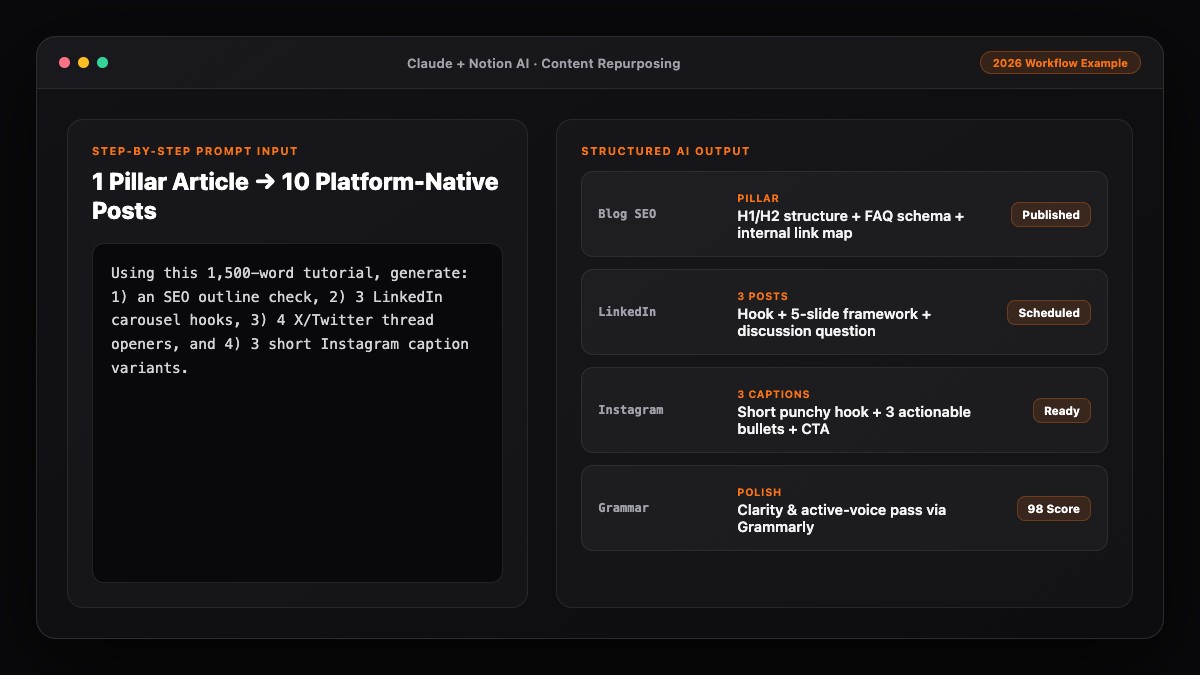
Use these three copy-paste prompts in Claude or ChatGPT to write sharper captions for any platform.
Prompt 1: Instagram Caption (Hook + Mini-Guide + Save CTA)
Write 3 Instagram caption options for this post:
- Visual: [DESCRIBE PHOTO, REEL, OR CAROUSEL]
- Core takeaway: [YOUR 1-2 SENTENCE POINT]
- Goal: [SAVES / COMMENTS / CLICKS]

Rules:
- First line MUST be under 110 characters and create curiosity before "...more" truncation.
- Body: 60–110 words, short line breaks, conversational tone, max 1 emoji.
- End with 1 specific engagement question or save CTA, plus 4 niche hashtags on a separate line.
- No clichés like "game-changer," "unlock," or "ready to level up."
Prompt 2: LinkedIn Caption (2-Line Fold + Scannable Value)
Turn these rough notes into a LinkedIn post for [TARGET AUDIENCE]:
Notes: [PASTE YOUR ROUGH THOUGHTS OR STORY]

Rules:
- Open with a 2-line hook (under 180 characters total) that earns the "See more" click.
- Use 1–2 sentence paragraphs with whitespace between them.
- Total length: 120–170 words.
- Zero emojis, zero hashtags, and no cheesy sign-offs. End with a thoughtful, specific question.
Prompt 3: X (Twitter) Punchy Post Variations
Rewrite this idea into 5 distinct X (Twitter) posts, each under 230 characters:
Idea: [PASTE IDEA OR BLOG TAKEAWAY]

Provide:
1. One contrarian one-liner
2. One "Before vs. After" comparison
3. One numbered 3-step micro-list
4. One direct mistake warning
5. One crisp question to spark replies
No hashtags, no emojis, no exclamation marks.
Common Mistakes to Avoid
- Burying the hook in line three: If the first 125 characters on Instagram or 210 characters on LinkedIn are filler, readers never tap "See more."
- Using the same caption on every network: An X-length one-liner wastes LinkedIn's storytelling space, while a 180-word LinkedIn essay gets truncated awkwardly on X.
- Stuffing 20 hashtags at the end: Massive hashtag blocks look dated and spammy; 3–5 targeted tags are plenty on Instagram.
- Forgetting to describe the visual to AI: Without knowing what is in the image or carousel, AI writes vague captions that feel disconnected from the graphic.
References & Official Sources
All workflows, pricing tiers, and feature capabilities in this guide were verified against the official platform documentation:
- Anthropic Claude Official Workspace (claude.ai)
- OpenAI ChatGPT Official Platform (chatgpt.com)
- Grammarly Official Writing Assistant (www.grammarly.com)
- Notion AI Official Documentation (www.notion.so)
- Google Gemini Official Assistant (gemini.google.com)
- KwiqRank AI Workflow Integration Guide — Internal methodology for combining AI tools into repeatable business processes.
Final Thoughts
Learning how to write better captions using AI is all about controlling the first two lines, matching each platform's natural rhythm, and cutting robotic filler before you hit publish. Keep a swipe file of your top-performing hooks and feed them back into your prompts every month. To see how captions fit into a complete multi-channel plan, read our content marketing strategy guide or learn how to turn one blog post into 10 social media posts using AI.
Your questions, answered in plain English
Explicitly ban exclamation marks, hype emojis (like rockets and fire), and clichés in your prompt, and give the AI 1–2 messy bullet points in your own natural words to build from.
On Instagram, either go ultra-short (1–3 lines) or 80–150 words for educational carousels. On LinkedIn, 120–180 words with short line breaks works best. On X, aim for 180–240 characters.
Yes. ChatGPT, Claude, and Gemini all support image uploads—just pair the image with 1 sentence explaining the context and your target call to action so the caption stays relevant.
Use 3–5 niche-relevant hashtags on Instagram, 0–3 on LinkedIn, and 0 on X. Avoid letting AI append 15–30 generic tags.
Claude is great for natural, human-sounding LinkedIn and Instagram storytelling, while ChatGPT excels at generating rapid hook variations and tight X one-liners.
Ask one specific, low-friction question (for example, "Which step slows your team down most—Step 2 or Step 3?") or invite a save ("Bookmark this checklist for your next sprint").
Still curious? Send us your question and a strategist will get back to you.

Want this done for you?
We can put this guide to work on your website. Start with a free audit.
Get my free auditWritten by KwiqRank Team
KwiqRank is a digital marketing agency in Mumbai, India, working with UK and US businesses on SEO, GEO, AEO, paid media and websites. We check facts against official sources, and tell you when something is unconfirmed. Spotted a mistake? Tell us and we will correct it.
Found this useful?
Want this done for you?
Start with an audit tied to revenue. We will tell you what is worth fixing and what is not.