
How to Create Social Media Content Using AI in Half the Time
Build a reusable brand voice card, generate scroll-stopping hooks, and adapt posts natively for LinkedIn, Instagram, and X in under 45 minutes a week.

- Read time
- 7 min read
- Sections
- 11
- FAQs answered
- 6
- Topic
- Writing & Content
To create social media content using AI in half the time without sounding like a generic brand bot, build a reusable brand voice profile, batch-generate hooks and angles around 3–4 weekly content pillars, and adapt each idea natively for LinkedIn, Instagram, and X instead of cross-posting identical text. AI handles the blank-page friction and formatting; you supply the opinions, stories, and visual direction.
Social media teams burn hours every week staring at empty post composers, trying to invent fresh angles from scratch. Yet pasting "Write 10 LinkedIn posts about marketing" into a chatbot produces cringe-worthy clichés and zero engagement. When you pair a structured pillar system with targeted prompts, you can plan, draft, and polish an entire week of high-performing posts in under 45 minutes.
What You'll Need
You can run a fast AI social workflow with just one conversational model and a workspace for storing your content bank. Here is how the leading tools stack up:
| Tool | Best For | Free Tier | Paid Tier |
|---|---|---|---|
| ChatGPT | Brainstorming hooks, carousel outlines, and fast X/LinkedIn variants | Standard model access with daily caps | ChatGPT Plus ($20/mo) for custom GPTs trained on your brand voice |
| Claude | Natural, opinionated LinkedIn posts and nuanced storytelling | Daily usage limits on Sonnet models | Claude Pro ($20/mo) for Projects storing your voice guide and past hits |
| Gemini | Trending topic research and Google Sheets content banks | Standard Gemini web access | Google AI Pro ($19.99/mo) for Workspace integration |
| Grammarly | Tightening wordy hooks and catching typos before scheduling | Basic spelling and grammar checks | Grammarly Pro ($12/mo billed annually) for tone and clarity rewrites |
| Notion AI | Organizing content pillars, drafts, and approval statuses in one board | Limited trial AI responses | Notion Plus + AI add-on for drafting directly inside calendar cards |
Step 1: Create a One-Page Brand Voice Card
AI defaults to exclamation marks, hashtags, and hype words ("🚀 Ready to skyrocket your growth?") unless you give it concrete examples of how you actually speak.
- Collect 3–5 of your best past posts: Pick posts that earned real comments or saves, even if they are from months ago.
- Ask AI to analyze your style: Paste those examples into Claude or ChatGPT and ask it to summarize your sentence length, vocabulary, formatting habits, and banned phrases.
- Save the output as your Voice Card: Store it in a Claude Project, ChatGPT Custom Instructions, or Notion so you can paste it at the start of every batching session.
Step 2: Map Ideas to 4 Core Content Pillars
Random brainstorming leads to repetitive posts. Anchor every week around four predictable pillars so your audience knows why they follow you:
- How-To / Tactical: Step-by-step frameworks, checklists, and quick wins.
- Contrarian / Point of View: Common industry myths you disagree with and why.
- Proof / Behind the Scenes: Real client wins, failed experiments, or lessons learned.
- Curated / Resource Roundups: Tools, prompts, or templates your audience can bookmark.
Ask your AI to generate 3 specific angles per pillar based on real customer questions from your inbox or sales calls. For a full monthly planning system, see our guide on creating a content calendar using AI.
Step 3: Generate Hooks First, Draft Body Second
On every social platform, 80% of a post's performance depends on the first two lines—the hook that stops the scroll or earns the "See more" click. Never ask AI to write a full post before approving the hook.
- Generate 10 hooks for one idea: Ask for a mix of curiosity hooks, bold data claims, contrarian takes, and "how I did X" story openers.
- Pick the strongest 1–2 hooks: Delete the rest.
- Draft the body under the winning hook: Tell the AI to deliver on the hook's promise in 120–180 words with scannable line breaks and a single clear takeaway.
Step 4: Adapt Format Natively for Each Platform
Copying and pasting a LinkedIn essay onto X or Instagram kills reach. Use AI to reformat your core idea into platform-native structures:
- LinkedIn: Strong 2-line hook, short 1–2 sentence paragraphs, a clear framework or lesson, and an open-ended question to spark comments.
- Instagram Carousel / Reel: Slide-by-slide micro-copy (under 15 words per slide) plus a punchy caption. Dive deeper in our AI caption writing guide.
- X (Twitter): Either a single punchy observation under 240 characters or a tight 5-tweet thread where each tweet stands alone.
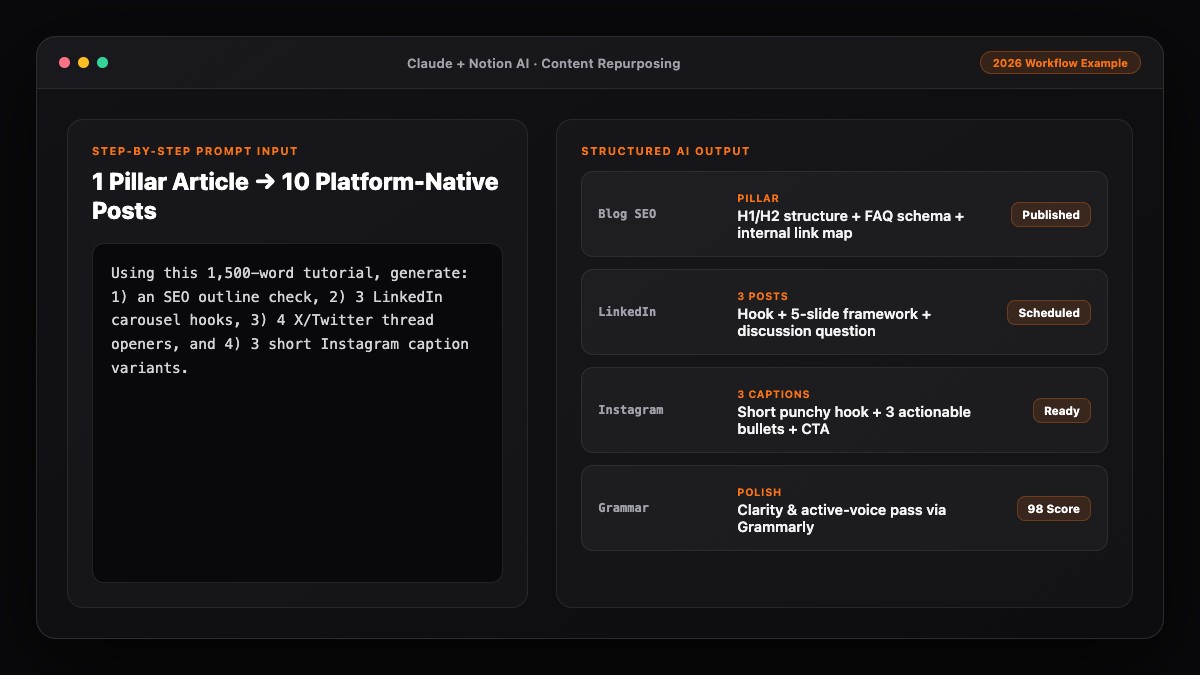
If you already publish long-form articles, you can skip ideation altogether by following our workflow to turn one blog post into 10 social media posts using AI.
Step 5: Human Polish, Visual Pairing, and Batch Scheduling
Spend the final 10 minutes adding the human details AI cannot fabricate:
- Swap generic placeholders for real specifics: Replace "a recent client" with "an e-commerce brand doing $40k/mo" or a real screenshot.
- Trim the AI outro: Delete cheesy sign-offs like "What are your thoughts? Let's connect and grow together!" and ask a genuine, specific question instead.
- Run a quick clarity check: Use Grammarly to catch awkward phrasing, then load the batch into your scheduler.
Best Prompts to Copy and Paste
Use these three prompts in ChatGPT or Claude to batch a week of social content in one sitting.
Prompt 1: Build Your Brand Voice Card
Analyze these 4 social media posts I wrote. Summarize my writing style into a reusable "Brand Voice Card" covering:
1. Sentence length and rhythm
2. Tone and attitude
3. Formatting habits (line breaks, lists, emojis)
4. 10 words or clichés I NEVER use

Posts:
[PASTE 4 PAST POSTS]
Prompt 2: 10 Scroll-Stopping Hooks From One Idea
Topic: [INSERT TOPIC OR LESSON]
Audience: [TARGET AUDIENCE]

Write 10 distinct opening hooks (max 15 words each) for this topic:
- 3 contrarian hooks
- 3 specific "how-to" hooks
- 2 mistake/warning hooks
- 2 story-based hooks
No hashtags, no emojis, no clickbait hype.
Prompt 3: Multi-Platform Native Adaptation
Using my Brand Voice Card below, turn this winning hook and core idea into 3 platform-native posts:
1. LinkedIn post (130–180 words, scannable line breaks, 1 discussion question at the end)
2. Instagram Carousel (7 slides, max 15 words per slide, plus a 60-word caption)
3. X single post (under 240 characters, punchy and direct)

Brand Voice Card: [PASTE VOICE CARD]
Hook & Idea: [PASTE WINNING HOOK + NOTES]
Common Mistakes to Avoid
- Publishing raw AI drafts with default emojis: Rockets, lightbulbs, and checkmarks on every bullet scream automated spam.
- Cross-posting identical text everywhere: Each platform has different pacing, truncation limits, and audience expectations.
- Generating posts without real stories or opinions: Generic tips ("Be consistent! Know your audience!") get scrolled past; specific lessons earn followers.
- Over-relying on AI for engagement: Use AI to draft faster, but write replies to comments yourself—real relationships happen in the comments.
References & Official Sources
All workflows, pricing tiers, and feature capabilities in this guide were verified against the official platform documentation:
- Anthropic Claude Official Workspace (claude.ai)
- OpenAI ChatGPT Official Platform (chatgpt.com)
- Grammarly Official Writing Assistant (www.grammarly.com)
- Notion AI Official Documentation (www.notion.so)
- Google Gemini Official Assistant (gemini.google.com)
- KwiqRank AI Workflow Integration Guide — Internal methodology for combining AI tools into repeatable business processes.
Final Thoughts
When you use AI to handle ideation, hook testing, and multi-platform formatting, you cut production time in half while keeping your authentic voice front and center. Treat AI as your junior content producer, not your ghostwriter. To connect your daily social output to measurable business goals, read our content marketing strategy guide.
Your questions, answered in plain English
Yes, if you feed it 3–5 examples of your best past posts as a Brand Voice Card, ban default AI clichés and emojis, and edit the final 10% to add real-world specifics.
Claude excels at natural, conversational LinkedIn posts and storytelling, while ChatGPT is great for rapid hook brainstorming and carousel outlines.
Most creators and small teams cut weekly drafting and formatting time by 50% to 60%, batching a full week of multi-platform posts in 30 to 45 minutes.
You can, though 3 to 5 niche-specific hashtags on Instagram and LinkedIn perform better than 20 generic AI-suggested tags. X posts generally perform best with zero hashtags.
Feed AI your 4 core content pillars alongside real customer questions, sales objections, or recent industry news, and ask for 3 specific angles per pillar.
Yes. Each platform has different line-break limits, visual formats, and reader expectations. Use AI to reformat one core idea into platform-native posts.
Still curious? Send us your question and a strategist will get back to you.

Want this done for you?
We can put this guide to work on your website. Start with a free audit.
Get my free auditWritten by KwiqRank Team
KwiqRank is a digital marketing agency in Mumbai, India, working with UK and US businesses on SEO, GEO, AEO, paid media and websites. We check facts against official sources, and tell you when something is unconfirmed. Spotted a mistake? Tell us and we will correct it.
Found this useful?
Get recommended by AI search
We check whether Google, ChatGPT and Perplexity can reach your pages, then fix what blocks them. No guarantees, just a clear plan.