
How to Create a Content Calendar Using AI for an Entire Month
Plan 30 days of cohesive blog, social, and email content in under 30 minutes using a 5-step AI workflow and CSV-ready prompts.

- Read time
- 7 min read
- Sections
- 11
- FAQs answered
- 6
- Topic
- Writing & Content
To create a content calendar using AI for an entire month in under 30 minutes, feed your business goals, audience pain points, and publishing capacity into an AI model first, assign weekly themes and content pillars, and output a structured CSV or Notion table with dates, channels, formats, and hooks. Never ask AI for "30 random post ideas," which creates a disconnected list you will abandon by week two.
Most solo creators and marketing teams fall behind on publishing not because they lack writing speed, but because they wake up every Monday wondering what to post. Planning 20 to 30 pieces of content across a blog, LinkedIn, Instagram, and email used to take an entire afternoon of spreadsheets. With a repeatable 5-step AI planning workflow, you can map an entire month of cohesive, campaign-aligned topics—ready to import into Notion, Google Sheets, or any scheduler—in one short session.
What You'll Need
You only need one conversational AI to generate the structured schedule and a spreadsheet or workspace tool to track statuses. Here is how the top tools compare:
| Tool | Best For | Free Tier | Paid Tier |
|---|---|---|---|
| ChatGPT | Generating structured CSV tables, campaign arcs, and topic matrices | Standard model access with daily usage caps | ChatGPT Plus ($20/mo) for Projects, file exports, and data analysis |
| Claude | Nuanced audience alignment and cohesive monthly messaging arcs | Daily message limits on current Sonnet models | Claude Pro ($20/mo) for Artifacts and reusable campaign Projects |
| Gemini | Exporting content calendars directly into Google Sheets and Docs | Standard Gemini web access | Google AI Pro ($19.99/mo) for native Sheets/Docs integration |
| Grammarly | Polishing working titles, hooks, and brief descriptions | Basic spelling and grammar checks | Grammarly Pro ($12/mo billed annually) for clarity and tone edits |
| Notion AI | Managing live editorial calendars with statuses, owners, and drafts | Limited trial AI responses inside Notion | Notion Plus + AI add-on for autofilling calendar properties |
Step 1: Set Your Monthly Capacity and Business Goal
A calendar only works if you can actually ship it. Before opening AI, lock down three realistic constraints:
- Your sustainable cadence: For example, 2 blog posts, 12 LinkedIn/X posts, 4 Instagram carousels, and 4 weekly emails per month.
- One primary monthly goal: Are you launching a product, driving newsletter signups, or building SEO authority on a specific topic cluster?
- Key dates and seasons: Note any product updates, webinars, holidays, or industry events happening this month.
Step 2: Anchor the Month With 4 Weekly Themes and Pillars
Instead of disconnected daily posts, organize your 4 weeks around progressive themes that naturally lead readers toward your monthly goal:
- Week 1 — Awareness / Problem: Highlight the costly mistake or bottleneck your audience faces.
- Week 2 — Education / Framework: Teach the step-by-step system that solves the problem (anchor this with a deep-dive blog post).
- Week 3 — Proof / Case Study: Share real examples, comparisons, and before-and-after results.
- Week 4 — Action / Conversion: Address objections, answer FAQs, and invite readers to take the next step.
Feed these four weekly themes into ChatGPT or Claude so every social post reinforces your core message.
Step 3: Generate the Full Calendar in Table or CSV Format
Ask the AI to output your entire month as a clean Markdown table or downloadable CSV with standardized columns:
- Publish Date & Day
- Channel (Blog, LinkedIn, Instagram, Email, X)
- Content Pillar / Weekly Theme
- Format (Tutorial, Carousel, Thread, Newsletter)
- Working Title / Hook
- Core Takeaway & CTA
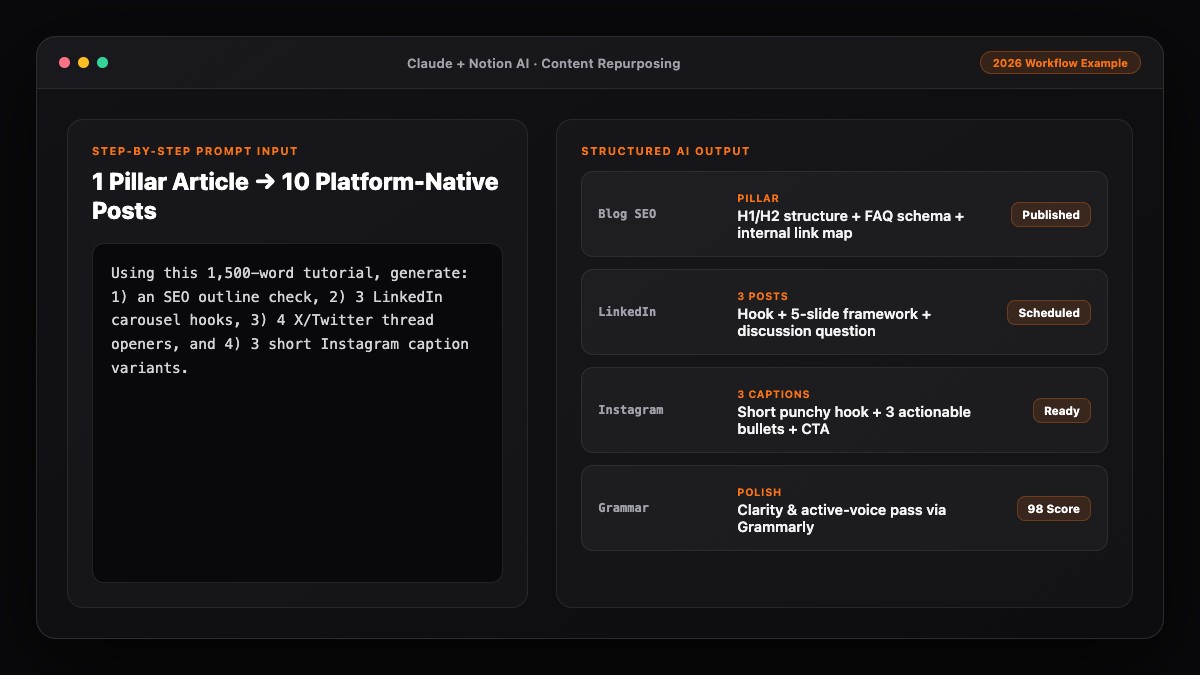
If you publish long-form articles, build your social slots around your blog dates so you can immediately turn one blog post into 10 social media posts using AI rather than inventing 30 unrelated topics.
Step 4: Stress-Test for Variety and Audience Fatigue
Once the 30-day table is generated, review it critically—either manually or with a follow-up AI audit:
- Check format rotation: Make sure you do not have three heavy how-to essays or three promotional posts back-to-back.
- Cut generic filler topics: Replace vague placeholders like "Monday Motivation" or "Top 5 Industry Trends" with specific customer questions.
- Verify production feasibility: If Tuesday requires a custom video and Wednesday requires a 2,000-word guide, space them out so you do not bottleneck yourself.
Step 5: Import Into Your Workspace and Batch-Draft
A calendar is just a plan until the drafts exist. Copy your verified table into Notion or Google Sheets, add status tags (Idea, Drafting, Review, Scheduled), and batch-create your copy one week at a time.
- For long-form articles on your calendar, follow our guide on how to write a blog post using AI step by step.
- For weekly social batches, pair your calendar with our workflow to create social media content using AI in half the time.
Best Prompts to Copy and Paste
Use these three prompts in ChatGPT, Claude, or Gemini to build and audit your monthly calendar.
Prompt 1: Monthly Strategy & Weekly Themes
Act as a content strategist. Build a 4-week thematic arc for [MONTH] for my brand:
- Audience: [TARGET AUDIENCE]
- Product/Service: [WHAT YOU OFFER]
- Monthly Goal: [E.G., DRIVE DEMO BOOKINGS / NEWSLETTER SIGNUPS]
- Key Dates/Events: [LIST ANY LAUNCHES OR HOLIDAYS]

Define 4 progressive weekly themes and 4 content pillars that connect naturally to our goal.
Prompt 2: Full 30-Day Calendar Table (CSV-Ready)
Using the 4 weekly themes above, create a complete content calendar for [MONTH] matching this exact weekly cadence:
- [X] Blog posts per week
- [X] LinkedIn posts per week
- [X] Instagram carousels/reels per week
- [X] Email newsletters per week

Output a Markdown table (and CSV code block) with these columns:
Date | Day | Channel | Format | Weekly Theme | Working Hook/Title | Core Angle (1 sentence) | CTA

Avoid generic fluff topics. Every entry must solve a specific problem or address a real objection.
Prompt 3: Calendar Gap & Fatigue Audit
Audit the content calendar above like a managing editor:
1. Flag any two consecutive posts on the same channel that feel repetitive in format or angle.
2. Identify any promotional spikes where we ask for a sale too often without enough educational value.
3. Suggest 3 stronger, more specific hooks to replace the weakest titles in the table.
Common Mistakes to Avoid
- Overcommitting on daily volume: Asking AI for 30 posts across 4 platforms when you only have 2 hours a week leads to burnout by day 10.
- Planning without a monthly goal: Random educational tips build vanity impressions; theme-driven calendars build pipeline.
- Treating AI calendar titles as final copy: Working titles in a calendar are placeholders—always sharpen the hooks right before drafting.
- Forgetting repurposing links: Build your social calendar downstream of your weekly blog post or video so you create less from scratch.
References & Official Sources
All workflows, pricing tiers, and feature capabilities in this guide were verified against the official platform documentation:
- Anthropic Claude Official Workspace (claude.ai)
- OpenAI ChatGPT Official Platform (chatgpt.com)
- Grammarly Official Writing Assistant (www.grammarly.com)
- Notion AI Official Documentation (www.notion.so)
- Google Gemini Official Assistant (gemini.google.com)
- KwiqRank AI Workflow Integration Guide — Internal methodology for combining AI tools into repeatable business processes.
Final Thoughts
When you create a content calendar using AI around realistic capacity and progressive weekly themes, you eliminate decision fatigue for the entire month. Export the schedule into your workspace, batch your drafts weekly, and keep refining based on what actually earns engagement. For a broader look at aligning channels and metrics, see our content marketing strategy guide.
Your questions, answered in plain English
With your audience, capacity, and monthly goal defined, you can generate, audit, and import a full 30-day multi-channel calendar into Notion or Google Sheets in 20 to 30 minutes.
ChatGPT and Claude are best for strategic weekly theming and CSV-formatted schedules, while Gemini shines if you want to push tables directly into Google Sheets.
No. Generate and approve the 30-day calendar first, then batch-draft the actual copy one week at a time so quality stays high and you can adapt to timely news.
Use 4 rotating content pillars (How-To, Contrarian, Proof, Curated), vary formats across days, and run a calendar audit prompt to catch back-to-back similar angles.
Yes. Paste the AI-generated Markdown or CSV table directly into a Notion database, then add Status, Owner, and Publish Date properties to track production.
Start with a sustainable baseline—such as 1 blog post, 3 LinkedIn or X posts, 1–2 Instagram carousels, and 1 email newsletter per week—and scale only after you hit 4 consistent weeks.
Still curious? Send us your question and a strategist will get back to you.

Want this done for you?
We can put this guide to work on your website. Start with a free audit.
Get my free auditWritten by KwiqRank Team
KwiqRank is a digital marketing agency in Mumbai, India, working with UK and US businesses on SEO, GEO, AEO, paid media and websites. We check facts against official sources, and tell you when something is unconfirmed. Spotted a mistake? Tell us and we will correct it.
Found this useful?
Get recommended by AI search
We check whether Google, ChatGPT and Perplexity can reach your pages, then fix what blocks them. No guarantees, just a clear plan.