
How to Use AI to Rewrite Content Without Changing Its Meaning
A 5-step method to paraphrase, simplify, and refresh articles with AI while locking facts, qualifiers, numbers, and SEO value.

- Read time
- 7 min read
- Sections
- 11
- FAQs answered
- 6
- Topic
- Writing & Content
To rewrite content using AI without changing its meaning, you must separate facts from phrasing before the model edits a single word. Lock your core claims, numbers, and proper nouns as non-negotiable constraints, specify the exact target tone and reading level, and run a side-by-side diff check against the original text to catch subtle semantic drift.
Writers, marketers, and editors often ask AI to "rewrite this paragraph to sound better," only to discover that the model quietly softened a legal disclaimer, rounded a statistic, or flipped a cause-and-effect relationship. Large language models optimize for fluent text, not strict factual fidelity—unless you constrain them. With the right 5-step workflow, you can refresh outdated articles, simplify technical jargon, or adapt tone across channels while preserving 100% of the original meaning.
What You'll Need
Any modern language model can paraphrase text, but models with larger context windows and strong instruction-following perform best when you need zero meaning drift. Here is how the top platforms compare:
| Tool | Best For | Free Tier | Paid Tier |
|---|---|---|---|
| Claude | Nuanced tone shifts and faithful long-document rewrites | Daily message limits on current Sonnet models | Claude Pro ($20/mo) for Projects and side-by-side Artifacts |
| ChatGPT | Fast structural rewrites, bulleting, and readability adjustments | Access to standard models with usage caps | ChatGPT Plus ($20/mo) for Canvas inline editing and custom instructions |
| Gemini | Rewriting directly inside Google Docs drafts | Standard Gemini web access | Google AI Pro ($19.99/mo) for native Google Docs side-panel rewrites |
| Grammarly | Sentence-level clarity, conciseness, and tone tweaks | Basic grammar and spelling corrections | Grammarly Pro ($12/mo billed annually) for full-paragraph rewrites |
| Notion AI | Cleaning up internal wikis, meeting notes, and SOPs in place | Limited trial AI responses | Notion Plus + AI add-on for unlimited inline rewriting |
Step 1: Extract and Lock Your Non-Negotiables
Semantic drift happens when an AI treats a specific fact like replaceable filler. Before rewriting, list the exact elements that must survive untouched:
- Numbers, dates, and percentages: Never let "42% of respondents" become "nearly half of users."
- Qualifiers and scope words: Words like may, often, up to, excluding, and only carry legal and factual weight.
- Technical terms and product names: Specify exact terms that should not be swapped for synonyms (for example, keeping "server-side tracking" instead of changing it to "cloud analytics").
Paste this anchor list directly into your prompt so the model treats those tokens as locked variables.
Step 2: Define the Exact Rewrite Goal
"Make it better" is the worst possible instruction for an AI editor. Tell the model precisely why you are rewriting and what should change while the meaning stays fixed:
- Readability compression: "Cut word count by 30% and lower the reading level to Grade 8 without dropping any technical steps."
- Tone adaptation: "Shift from academic passive voice to direct, conversational active voice."
- Format conversion: "Turn this dense 200-word paragraph into a 2-sentence summary plus 4 scannable bullet points."
If your goal is primarily fixing mechanical errors rather than changing structure, check our dedicated guide on using AI to fix grammar and improve your writing.
Step 3: Rewrite in Manageable Chunks
If you paste a 3,000-word article and ask for a full rewrite, the AI will summarize and compress the middle sections, quietly deleting nuances and examples. Work in logical chunks of 300 to 600 words—usually one or two H2 sections at a time.
- Keep the surrounding context: Paste the heading and the preceding sentence so transitions stay smooth.
- Preserve paragraph intent: Instruct the model to keep a 1-to-1 mapping of core ideas per paragraph unless you explicitly asked to merge or split them.
- Ask for two options on tricky passages: When rewriting legal, medical, or high-stakes copy, request one conservative edit and one punchier edit so you can pick the safest phrasing.
Step 4: Run an AI Semantic Diff Audit
Do not rely on a quick skim to verify that meaning stayed intact. Use the AI itself—ideally in a fresh chat or as a second step—to audit the rewrite against the original text.
- Paste both the Original and the Rewritten versions into Claude or ChatGPT.
- Ask the model to list every factual claim, qualifier, or nuance present in the original that was altered, softened, exaggerated, or omitted in the rewrite.
- Fix any flagged discrepancies manually before moving to the next section.
This two-pass verification takes 20 seconds and catches subtle errors—like turning "supports up to 10 users" into "built for teams of 10"—that human eyes easily miss when reading fast.
Step 5: Verify Readability and SEO Alignment
If you are rewriting a published blog post or landing page, make sure the refresh does not accidentally strip out the keywords, internal links, or structure that earned your existing traffic.
- Check primary and secondary keywords: Confirm your target terms still appear naturally in headings and opening paragraphs.
- Restore hyperlinks and citations: AI often strips Markdown or HTML links during a rewrite. Re-insert all internal links (for example, linking to your guide on writing a blog post using AI) and verified sources.
- Read aloud once: Listen for unnatural rhythm or repetitive sentence starters that crept in during editing.
Best Prompts to Copy and Paste
Copy these three prompts into ChatGPT, Claude, or Gemini whenever you need a faithful rewrite.
Prompt 1: Zero-Drift Clarity Rewrite
Rewrite the text below to improve clarity, flow, and conciseness while preserving 100% of the original meaning.
Strict rules:
1. Do NOT add new claims, examples, or opinions.
2. Do NOT change or round any numbers, dates, percentages, or qualifiers (may, often, up to, only).
3. Keep these exact terms unchanged: [TERM 1, TERM 2].
4. Use active voice and short sentences.

Text to rewrite:
[PASTE TEXT]
Prompt 2: Tone Shift Without Fact Loss
Adapt the following passage from a [CURRENT TONE, e.g., formal/academic] tone to a [TARGET TONE, e.g., friendly, direct B2B] tone for [AUDIENCE].
Keep every factual claim, step, and caveat identical to the source. Do not exaggerate benefits or remove limitations.

Text:
[PASTE TEXT]
Prompt 3: Semantic Diff Verification Audit
Compare Version A (Original) and Version B (Rewrite) below.
List:
1. Any facts, numbers, or caveats present in Version A that are missing in Version B.
2. Any claims in Version B that are stronger, weaker, or subtly different from Version A.
3. If there is zero meaning drift, reply: "PASS - Meaning preserved."

Version A: [PASTE ORIGINAL]
Version B: [PASTE REWRITE]
Common Mistakes to Avoid
- Using vague prompts like "Improve this": Without clear constraints, AI invents new adjectives, pads word count, and alters the certainty of your claims.
- Rewriting an entire long document at once: Long inputs trigger silent summarization, causing important caveats in the middle of the text to vanish.
- Letting AI change technical terminology: Swapping domain terms for casual synonyms confuses expert readers and hurts SEO relevance.
- Forgetting to restore links and formatting: Pasting plain text into AI often wipes bolding, tables, and hyperlinks—always check formatting before publishing.
References & Official Sources
All workflows, pricing tiers, and feature capabilities in this guide were verified against the official platform documentation:
- Anthropic Claude Official Workspace (claude.ai)
- OpenAI ChatGPT Official Platform (chatgpt.com)
- Grammarly Official Writing Assistant (www.grammarly.com)
- Notion AI Official Documentation (www.notion.so)
- Google Gemini Official Assistant (gemini.google.com)
- KwiqRank AI Workflow Integration Guide — Internal methodology for combining AI tools into repeatable business processes.
Final Thoughts
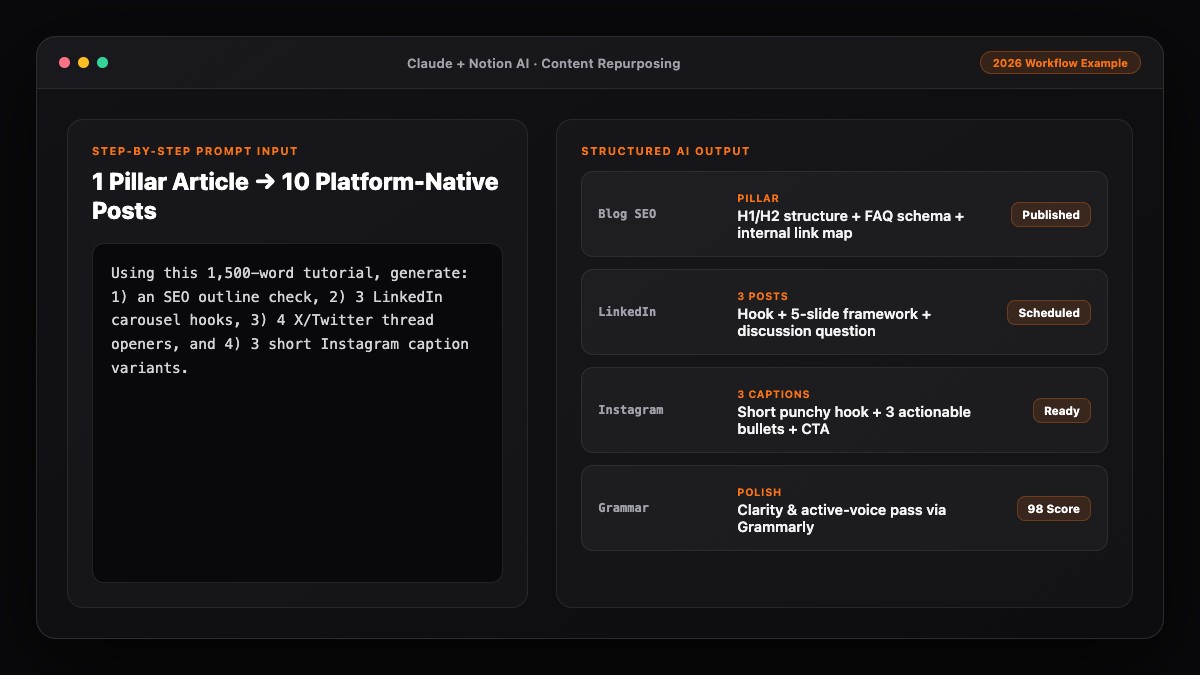
Learning how to rewrite content using AI without changing its meaning comes down to treating the model like a disciplined copy editor rather than an author. Lock your facts, rewrite in focused chunks, and run a quick diff audit before you publish. If you are refreshing older blog articles as part of a broader content overhaul, pair this workflow with our content marketing strategy guide and our guide on repurposing one blog post into 10 social media posts.
Your questions, answered in plain English
List your exact numbers, qualifiers, and technical terms as locked constraints in the prompt, and explicitly instruct the model not to add new claims or exaggerate benefits.
Claude is especially strong at preserving nuance and tone constraints, while ChatGPT Canvas and Grammarly Pro are great for fast inline clarity edits.
No, as long as you preserve target keywords, internal links, and factual depth. Refreshing outdated, hard-to-read sections often improves rankings and user engagement.
When you paste very long documents (over 1,500 words) into a single prompt, models tend to summarize rather than paraphrase. Break your text into 300–600 word chunks instead.
Yes. Specify both the current tone and the target tone (for example, "academic to conversational B2B") while instructing the AI to keep every step and fact identical.
It is a quick verification step where you paste both the original and rewritten text into AI and ask it to flag any facts, qualifiers, or nuances that changed or disappeared.
Still curious? Send us your question and a strategist will get back to you.

Want this done for you?
We can put this guide to work on your website. Start with a free audit.
Get my free auditWritten by KwiqRank Team
KwiqRank is a digital marketing agency in Mumbai, India, working with UK and US businesses on SEO, GEO, AEO, paid media and websites. We check facts against official sources, and tell you when something is unconfirmed. Spotted a mistake? Tell us and we will correct it.
Found this useful?
Get recommended by AI search
We check whether Google, ChatGPT and Perplexity can reach your pages, then fix what blocks them. No guarantees, just a clear plan.