
How to Create a Personalized Study Plan Using AI
Build a realistic, personalized study plan using AI in 5 steps—complete with diagnostic pre-tests, spaced-repetition schedules, buffer days, and weekly rebalance prompts.

- Read time
- 7 min read
- Sections
- 11
- FAQs answered
- 6
- Topic
- Research & Learning
To create a personalized study plan using AI that you will actually follow, feed the model your exact exam or goal, your honest weekly hours, your current weak spots, and your real deadline—then ask for a time-boxed, spaced-repetition schedule with built-in buffer days and weekly checkpoint quizzes.
Generic study schedules fail by Wednesday. You download a rigid template that assumes you have three uninterrupted hours every evening, treats easy and hard topics equally, and collapses the moment work or life interrupts one day. An AI-built study plan works because it adapts to your real constraints, prioritizes high-weight weak areas, and recalibrates in seconds whenever you fall behind. Paired with active learning habits from our guide to learn any new skill faster using AI, a custom plan turns scattered effort into predictable progress.
What You'll Need
Any of the major AI platforms can build a personalized study plan on their free tier. Here is how they compare for planning, resource grounding, and daily execution.
| Tool | Free Tier | Paid Tier | Best Role in Study Planning |
|---|---|---|---|
| ChatGPT | Free GPT-4o mini / limited GPT-4o, table generation, file uploads | ChatGPT Plus ($20/mo) with Projects, higher limits, and custom instructions | Building custom week-by-week schedules, tables, and dynamic plan resets |
| Claude | Free daily messages with syllabus PDF uploads | Claude Pro ($20/mo) with Projects and Artifacts | Parsing complex exam syllabi and creating clean interactive study trackers |
| Google NotebookLM | Up to 50 sources per notebook, Study Guides, passage-pinned Q&A | NotebookLM Plus (via Google One AI Premium / Workspace) with higher limits | Connecting your study schedule directly to uploaded textbooks and lecture PDFs |
| Perplexity AI | Unlimited quick searches, limited Pro searches | Perplexity Pro ($20/mo) with Deep Research and Spaces | Checking official exam blueprints, weightings, and updated test dates |
Step 1: Gather Your Inputs and Honest Constraints
An AI study plan is only as realistic as the constraints you give it. Before prompting, write down five concrete facts:
- Target outcome & date: The exact exam, certification, or project deadline (for example, "AWS Solutions Architect exam on December 18" or "Finish 6 chapters of Organic Chemistry in 3 weeks").
- Syllabus or topic list: Paste the official exam blueprint, course syllabus, or table of contents.
- Realistic weekly hours: Count only the hours you can genuinely protect—including low-energy weekday blocks vs. longer weekend blocks.
- Current baseline: Rate each major topic 1–5 so AI allocates more time to weak, high-weight areas.
- Non-negotiable blackouts: Work shifts, travel days, or rest days where zero studying will happen.
If your syllabus lives inside a long PDF, upload it directly or extract its structure first using our guide to summarize long PDFs using AI without missing key details.
Step 2: Build a Diagnostic Before Locking the Calendar
Do not guess which topics you know—test yourself for 15 minutes first. Ask ChatGPT or Claude to generate a quick 10-question diagnostic spanning your syllabus, or run one inside Google NotebookLM using your uploaded course files.
Feed your diagnostic score back into the chat. Now the AI can front-load your weakest, highest-impact topics in Weeks 1 and 2 instead of wasting precious evenings reviewing material you already passed.
Step 3: Generate a Time-Boxed, Spaced-Repetition Schedule
Ask the AI to output your plan as a concrete weekly table rather than vague advice like "Study Chapter 4 in Week 2." Require every study block to specify three things: the exact topic, the active task (such as 20 practice problems, 1 teach-back summary, or 30 flashcards), and the time cap.
Crucially, instruct the AI to bake in spaced repetition (revisiting Week 1 topics on Day 3, Day 7, and Day 14) and leave one catch-up buffer block every week. Buffer blocks prevent one busy Tuesday from derailing the entire month. If you need help converting readings into quick review sheets for those blocks, see our document-to-notes workflow.
Step 4: Pair Each Study Block With Active Checkpoints
A calendar tells you when to sit down; checkpoints tell you whether the session worked. At the end of each week in your plan, include a 20-minute "Prove It" checkpoint: a timed mini-quiz, a blank-page recall dump, or a practical problem set without notes.
You can keep all your readings and checkpoint quizzes grounded in your actual course PDFs by following our walkthrough on how to use NotebookLM to study PDFs and documents.
Step 5: Recalibrate Weekly When Real Life Changes
Treat your AI study plan as a living GPS, not a stone tablet. Every Sunday evening, spend three minutes pasting what you actually finished—and what you missed—back into the same thread. Ask the AI to rebalance the remaining days toward your deadline, compressing low-weight topics if needed while protecting practice tests and weak areas.
If you want sharper, more tailored adjustments every time you prompt, check out our guide on how to ask better questions to AI.
Best Prompts to Copy and Paste
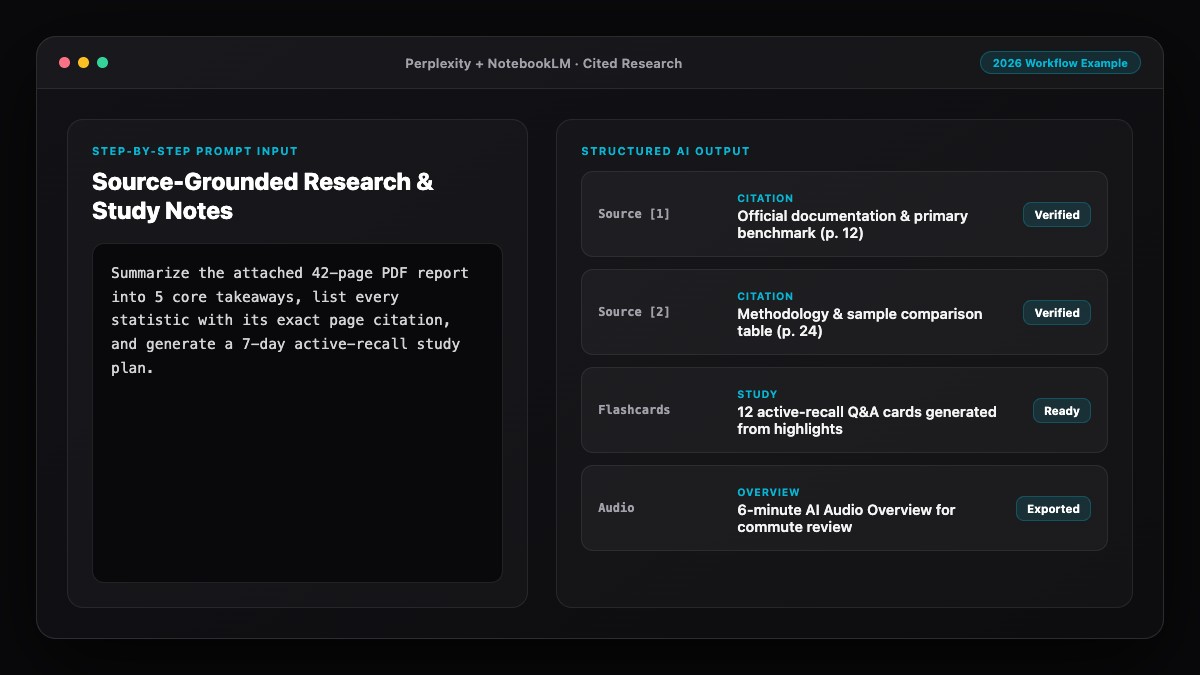
Use these three prompts to generate, test, and rebalance a personalized study plan in minutes.
1. Personalized Study Plan Generator Prompt:
Create a realistic, personalized study plan for [EXAM / SKILL / COURSE].
Here are my inputs:
- Deadline: [DATE]
- Available time: [E.G., 45 mins Mon-Thu, 2 hours Sat, off Sunday]
- Syllabus / topics & exam weights: [PASTE SYLLABUS]
- My current confidence (1-5) per topic: [LIST RATINGS]

Rules for the plan:
1. Prioritize high-weight, low-confidence topics first
2. Output a week-by-week markdown table with Date/Day, Topic, Active Task (no passive "read chapter" tasks), and Duration
3. Build in spaced-repetition review sessions (3 days and 7 days after first learning)
4. Reserve one 45-minute catch-up buffer block each week and a weekly 20-minute checkpoint quiz.
2. 10-Question Diagnostic Pre-Test Prompt:
Based on the syllabus/topics below, give me a 10-question diagnostic quiz covering all major sections from easy to hard.
Ask all 10 questions without answers first. Once I reply with my answers, score each topic and tell me which 3 areas need the most hours in my study plan.

[PASTE SYLLABUS]
3. Sunday Plan Rebalance Prompt:
Here is what I completed and missed this week:
- Completed: [LIST]
- Missed: [LIST]
- Topics that still feel shaky: [LIST]
- Updated availability next week: [HOURS]

Rebalance the remaining schedule up to [DEADLINE] so I still hit all high-weight topics and full practice tests without burning out.
Common Mistakes to Avoid
- Overestimating daily willpower: Planning 3 hours every night after work guarantees burnout by Day 4. Start with 45–60 focused minutes on weekdays and scale up only after a full consistent week.
- Scheduling passive tasks: Blocks labeled "Review notes" or "Watch lectures" produce weak retention. Every block should end with questions answered, problems solved, or concepts taught back.
- Skipping buffer days: Without a weekly catch-up slot, one unexpected late meeting breaks the whole calendar and triggers guilt.
- Forgetting spaced repetition: Cramming Chapter 1 in Week 1 and never touching it again until Week 6 means you will forget most of it. Schedule short 15-minute recall reviews.
- Never updating the plan: A static schedule goes stale fast. Re-prompt every Sunday to keep the route aligned with your real progress.
References & Official Sources
All workflows, pricing tiers, and feature capabilities in this guide were verified against the official platform documentation:
- Perplexity AI Official Search Engine (www.perplexity.ai)
- Google NotebookLM Official App (notebooklm.google.com)
- OpenAI ChatGPT Official Platform (chatgpt.com)
- Anthropic Claude Official Workspace (claude.ai)
- Google Gemini Official Assistant (gemini.google.com)
- KwiqRank AI Workflow Integration Guide — Internal methodology for combining AI tools into repeatable business processes.
Final Thoughts
Knowing how to create a personalized study plan using AI removes the friction of deciding what to study every evening. Give the model honest hours, run a quick diagnostic first, insist on active tasks and buffer blocks, and rebalance every Sunday. Over a few weeks, consistent 45-minute sessions beat chaotic cramming every time. If you are also exploring how modern AI systems organize and surface structured knowledge online, take a look at our Answer Engine Optimization guide.
Your questions, answered in plain English
ChatGPT and Claude are best for turning your syllabus and weekly availability into structured markdown schedules and recalculating them when plans change, while NotebookLM excels at tying study sessions directly to your uploaded PDFs.
Give the AI your true minimum available hours rather than your best-case hours, block out rest days, and explicitly instruct it to leave one catch-up buffer slot every week.
Yes. Instruct the AI to schedule short 15-minute recall reviews 3 days and 7 days after each topic is first introduced, plus cumulative weekly checkpoints.
Do not start over or try to cram three days into one night. Paste what you missed into the same AI thread and ask it to rebalance the remaining days toward your deadline.
Yes. Pasting the official syllabus or topic weighting prevents the AI from inventing generic chapters and ensures high-weight exam areas get the most time.
For most learners, 45-to-60-minute focused blocks with a clear active goal work far better than vague 3-hour blocks.
Still curious? Send us your question and a strategist will get back to you.

Want this done for you?
We can put this guide to work on your website. Start with a free audit.
Get my free auditWritten by KwiqRank Team
KwiqRank is a digital marketing agency in Mumbai, India, working with UK and US businesses on SEO, GEO, AEO, paid media and websites. We check facts against official sources, and tell you when something is unconfirmed. Spotted a mistake? Tell us and we will correct it.
Found this useful?
Get recommended by AI search
We check whether Google, ChatGPT and Perplexity can reach your pages, then fix what blocks them. No guarantees, just a clear plan.