
How to Turn a Long Document Into Easy Notes Using AI
Learn how to turn any long PDF, report, or transcript into clean, scannable study and work notes using AI—with copy-paste Cornell and executive templates.

- Read time
- 7 min read
- Sections
- 11
- FAQs answered
- 6
- Topic
- Research & Learning
To turn a long document into easy notes using AI, pick a proven note format first (such as Cornell notes, a concept-and-example sheet, or action-item tables), feed the document in logical sections with strict formatting rules, and add your own recall cues and highlights so the notes actually stick.
Most AI-generated notes fail for one simple reason: they read like a shorter wall of text. You trade a 40-page report for a 3-page paragraph dump that is still exhausting to scan a week later. Great notes are built for retrieval, not storage—they use clear hierarchy, bolded anchor terms, comparison tables, and self-test questions. Whether you are turning lecture transcripts, research reports, or client SOPs into study material, a structured workflow lets you summarize long PDFs using AI and immediately convert them into clean, memorable notes.
What You'll Need
You can turn long documents into clean notes on the free tier of any major AI assistant. Here is how the four leading tools compare for note-taking workflows.
| Tool | Free Tier | Paid Tier | Best Note-Taking Strength |
|---|---|---|---|
| Google NotebookLM | Up to 50 sources per notebook, pinned Studio Notes, Study Guides, passage citations | NotebookLM Plus (via Google One AI Premium / Workspace) with higher limits | Creating citation-linked study notes directly from PDFs, Docs, and lectures |
| Claude | Free daily messages with document upload support | Claude Pro ($20/mo) with Projects and large context windows | Clean markdown formatting, Cornell notes, and preserving subtle nuance |
| ChatGPT | Limited file uploads and GPT-4o access | ChatGPT Plus ($20/mo) with higher limits and custom instructions | Turning messy transcripts into structured tables, flashcards, and checklists |
| Perplexity AI | Basic file uploads and live web citations | Perplexity Pro ($20/mo) with expanded file analysis and Spaces | Enriching document notes with verified definitions or current examples |
Step 1: Choose Your Note Format Before Uploading
Never tell AI "make notes from this document." Without a template, models default to generic nested bullets that blend everything together. Match your note layout to how you will use it later:
- Cornell Notes (for studying & exams): Left-column cue questions paired with concise right-column explanations and a 3-sentence bottom summary.
- Concept + Example + Trap Sheet (for technical skills): Term definition, one real-world example, and the most common mistake or misconception.
- Decision & Action Matrix (for work reports & meetings): Key findings, owner, deadline, and open risks in a clean markdown table.
- Q&A Flashcard Pairs (for memorization): Ready to paste into Anki, Quizlet, or Notion toggle blocks.
Step 2: Strip Noise and Split the Document by Topic
Long documents—especially PDFs, exported web articles, and meeting transcripts—are packed with filler: copyright footers, repetitive intros, speaker timestamps, and tangential anecdotes. If you feed 30,000 words of uncleaned text into a single prompt, the AI wastes half its output summarizing fluff.
Break the document into logical chapters or themes first. If you are working inside Google NotebookLM, upload the full file and use targeted prompts per chapter. If you are using Claude or ChatGPT, paste or reference one section at a time so every core idea gets room to breathe. For a deeper PDF workflow, see our guide on how to use NotebookLM to study PDFs and documents.
Step 3: Apply a Strict Compression and Formatting Prompt
Give the AI exact visual constraints so the output is scannable in 15 seconds. Ask for:
- A maximum of 12–15 words per bullet point.
- Bolded lead-in keywords on every bullet so your eyes can scan down the left edge.
- Markdown tables whenever three or more items share attributes (dates, metrics, pros/cons, steps).
- Plain, everyday language—instructing the AI to unpack jargon in parentheses the first time it appears.
If your outputs still feel vague, refine how you frame your requests using our guide on how to ask better questions to AI.
Step 4: Add Active-Recall Cues and Plain-English Analogies
Easy notes should do more than look tidy—they should help your brain retrieve the material days later. Once the structured notes are generated, run a quick second pass asking the AI to add:
- 3 "Test Yourself" questions at the end of each section (with answers hidden in a separate block or toggle).
- One concrete analogy for any abstract concept or formula that felt dense on first read.
- "Watch Out" callouts highlighting subtle distinctions—for example, two terms that sound similar but mean different things in the text.
If you are turning notes into a full learning routine, plug these review blocks into a schedule using our guide to create a personalized study plan using AI.
Step 5: Do a 2-Minute Human Edit and Export to Your System
Never paste AI notes straight into Notion, Obsidian, or Google Docs unread. Spend two minutes skimming and personalizing them: delete concepts you already know cold, star the two ideas you keep forgetting, and rewrite the 3-sentence takeaway at the top in your own words. That tiny human pass is what turns "AI output" into your memory.
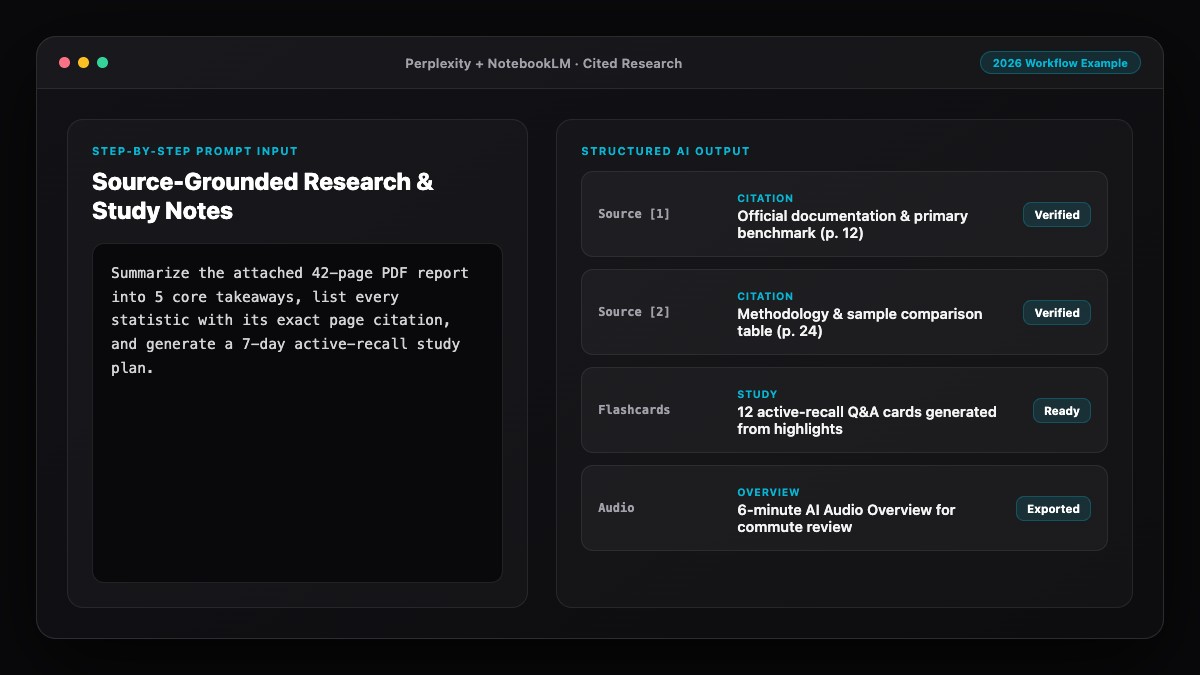
Best Prompts to Copy and Paste
Copy these templates into Claude, ChatGPT, or NotebookLM to convert any long document into clean, scannable notes.
1. Cornell-Style Study Notes Prompt:
Convert the text below into clean Cornell-style markdown notes.
Include:
1. A 2-column table: "Cue / Question" on the left, "Concise Explanation (max 25 words)" on the right.
2. Bold the key term at the start of each explanation.
3. Keep all exact numbers, dates, and definitions from the source.
4. End with a "Bottom-Line Summary" (3 sentences max) and 3 self-test questions.

[PASTE SECTION OR REFERENCE UPLOADED FILE]
2. Work Report / SOP to Actionable Notes Prompt:
Turn the attached document into an executive note sheet I can scan in 60 seconds.
Use this exact structure:
- Core Thesis (2 sentences)
- Key Facts & Metrics (bulleted with bold lead-ins, max 15 words each)
- Processes or Comparisons (formatted as a markdown table)
- Decisions, Risks, or Action Items (what to do next and why).
Do not include filler transitions or background fluff.
3. Transcript-to-Clean-Notes Prompt (Lectures, Podcasts, Meetings):
Clean up this raw transcript into structured topic notes.
- Remove filler words, greetings, and off-topic banter
- Group ideas under clear descriptive H2/H3 headings (even if the speaker jumped around)
- Extract any frameworks, step-by-step lists, or book/tool recommendations mentioned
- Flag anything that sounded ambiguous or needs fact-checking.

[PASTE TRANSCRIPT]
Common Mistakes to Avoid
- Asking for "detailed notes" without a length cap: AI interprets "detailed" as rewriting half the document. Always set word limits per bullet and ask for tables.
- Leaving out examples: Abstract summaries are easy to forget. Always ask for one concrete example from the text next to every major concept.
- Never checking definitions against the original: If the source uses a specialized term, make sure the AI did not replace it with a looser everyday synonym.
- Storing notes without review triggers: Notes you never revisit are wasted effort. Add 3 self-test questions at the bottom so every note sheet doubles as a mini-quiz.
- Keeping raw AI formatting junk: Strip out conversational intros ("Sure! Here are your notes:") before saving to your knowledge base so your archive stays clean.
References & Official Sources
All workflows, pricing tiers, and feature capabilities in this guide were verified against the official platform documentation:
- Perplexity AI Official Search Engine (www.perplexity.ai)
- Google NotebookLM Official App (notebooklm.google.com)
- OpenAI ChatGPT Official Platform (chatgpt.com)
- Anthropic Claude Official Workspace (claude.ai)
- Google Gemini Official Assistant (gemini.google.com)
- KwiqRank AI Workflow Integration Guide — Internal methodology for combining AI tools into repeatable business processes.
Final Thoughts
When you turn a long document into easy notes using AI, the secret is designing the output for your future self—someone who only has 60 seconds to review before a meeting, essay, or exam. Pick a structured format, process the text in clean sections, keep exact numbers and examples, and add self-test cues at the bottom. If you are also interested in how structured, scannable content gets cited by AI search tools online, explore our Perplexity SEO guide.
Your questions, answered in plain English
Google NotebookLM is best when you want citation-linked study notes across PDFs and Docs, while Claude and ChatGPT excel at formatting messy transcripts or single reports into clean markdown tables and Cornell notes.
Set explicit formatting constraints in your prompt: cap bullets at 15 words, require bold lead-in keywords, request markdown tables for comparisons, and specify the exact sections you want.
Yes. Paste the raw transcript into Claude or ChatGPT (or drop the YouTube link into NotebookLM) and instruct it to strip conversational filler, reorganize wandering points by theme, and extract examples.
For studying and retention, yes. Cornell notes pair a left-column question with a concise right-column answer, which makes it easy to cover the right side and quiz yourself later.
Always spend 2 minutes skimming, deleting obvious points you already know, verifying key numbers, and rewriting the top summary in your own words to lock in understanding.
Yes. Ask the AI to output a two-column CSV or tab-separated Q&A list from your notes so you can import them straight into Anki, Quizlet, or Notion.
Still curious? Send us your question and a strategist will get back to you.

Want this done for you?
We can put this guide to work on your website. Start with a free audit.
Get my free auditWritten by KwiqRank Team
KwiqRank is a digital marketing agency in Mumbai, India, working with UK and US businesses on SEO, GEO, AEO, paid media and websites. We check facts against official sources, and tell you when something is unconfirmed. Spotted a mistake? Tell us and we will correct it.
Found this useful?
Talk to us about your site
Tell us what you are working on and we will say plainly what we would do first.