
How to Research Any Topic Faster Using AI (With Verified Sources)
A step-by-step workflow to research any topic faster using Perplexity AI, Google NotebookLM, and verification prompts without falling for hallucinated citations.

- Read time
- 8 min read
- Sections
- 11
- FAQs answered
- 6
- Topic
- Research & Learning
To research faster using AI with verified sources, pair a citation-first search engine like Perplexity AI for live web discovery with a source-grounded workspace like Google NotebookLM for deep document synthesis, then audit every key claim against its original primary link before citing or acting on it.
Traditional online research forces you into an exhausting loop: open fifteen browser tabs, skim SEO-stuffed articles, hunt for the original study buried three links deep, and manually piece together conflicting statistics. Standard chatbots speed up drafting, yet they often invent plausible-sounding citations or blend outdated training data with current facts. By combining live retrieval tools with grounded reading environments, you cut research time from hours to minutes while keeping a strict paper trail.
What You'll Need
You can run a complete, source-verified AI research workflow on free tiers alone, though paid plans unlock higher daily search limits, larger file uploads, and deeper reasoning models.
| Tool | Free Tier | Paid Tier | Best Role in Research |
|---|---|---|---|
| Perplexity AI | Unlimited quick searches, limited Pro searches per day, inline web citations | Perplexity Pro ($20/mo) with higher Pro search quotas, Deep Research, and model selection | Live web discovery, academic/news filtering, and citation-linked overviews |
| Google NotebookLM | Up to 50 sources per notebook, source-pinned Q&A, study guides, Audio Overviews | NotebookLM Plus (via Google One AI Premium / Workspace) with higher source and notebook limits | Synthesizing PDFs, reports, and transcripts strictly from uploaded files |
| ChatGPT | Access to GPT-4o mini / limited GPT-4o, web search, and file uploads | ChatGPT Plus ($20/mo) with higher limits, Deep Research, and Projects | Structuring research outlines, comparing viewpoints, and formatting briefs |
| Claude | Free tier with daily message caps and document uploads | Claude Pro ($20/mo) with expanded context, Projects, and extended thinking | Long-form analysis, nuanced critique, and logical gap checking |
Step 1: Define Your Research Scope and Verification Standard
Speed without boundaries produces shallow summaries. Before opening any AI tool, spend two minutes writing down three specifics: your core decision question, the acceptable source types (peer-reviewed journals, government filings, official documentation, or primary industry data), and the date cutoff that makes a statistic still valid.
For example, "What is the ROI of remote work?" is too broad and invites generic blog opinions. A sharp scope reads: "What do peer-reviewed studies and Bureau of Labor Statistics reports published between 2023 and 2026 show about productivity and attrition in hybrid vs. fully remote teams?" Learning how to ask better questions to AI upfront eliminates half of your follow-up cleanup.
Step 2: Map the Landscape With Citation-First Search
Start in Perplexity AI rather than a blank chat window. Set the search focus to Academic if you need studies, or Web if you need recent regulatory updates, pricing, or market reports. Ask for an overview that separates consensus findings from open debates, and instruct the tool to list primary organizations and publication years inline.
As soon as the answer appears, do not read the prose passively—scan the numbered citation chips first. Click through to the top three or four primary sources (university repositories, official whitepapers, SEC filings, or standards bodies) and discard secondary roundup blogs. If you are new to this workflow, our complete Perplexity AI research guide walks through Focus modes, Pro Search, and source filtering in detail.
Step 3: Centralize Primary Sources in a Grounded Workspace
Once you have downloaded 5 to 15 high-trust PDFs, web pages, or YouTube lecture transcripts, move them into Google NotebookLM. Unlike open-ended chatbots that pull from general training weights, NotebookLM anchors every response to the exact files in your notebook and attaches clickable passage citations.
This two-stage split—discovery in Perplexity, synthesis in NotebookLM—prevents source drift. You can cross-examine multiple reports at once, ask where two authors disagree on methodology, and extract direct quotes with page references. Check out our walkthrough on how to use NotebookLM to study PDFs and documents to set up multi-source notebooks cleanly.
Step 4: Cross-Examine Claims and Hunt for Contradictions
Most researchers stop once they find one plausible paragraph that supports their thesis. Instead, use AI to stress-test your findings. Upload your draft notes or paste key excerpts into Claude or ChatGPT and ask for counterarguments, sample-size limitations, and unstated assumptions.
Specifically, ask three verification questions:
- Origin check: "Is this statistic a primary measurement or a secondary quote from an older report?"
- Scope check: "What population, geography, or time window does this finding actually cover?"
- Conflict check: "Which other credible sources in my set report an opposite or smaller effect?"
When working through dense 80-page reports, pair this step with a structured extraction method so nothing important gets smoothed over—see our guide on how to summarize long PDFs using AI without missing key details.
Step 5: Verify Every Link and Assemble Your Research Brief
Before you publish, present, or make a budget decision, run a rapid three-point audit on every number, quote, and URL in your final brief:
- Open every cited URL directly: Confirm the page loads, is not behind a paywall you haven't read, and actually contains the claim attributed to it.
- Match exact numbers and units: Verify percentages, sample sizes, currency, and timeframes against the original table or abstract.
- Separate fact from synthesis: Label direct source findings clearly apart from your own interpretation or AI-generated transitions.
Finally, convert your verified findings into clean, reusable takeaways using a repeatable document-to-notes workflow so you never have to re-research the same topic twice.
Best Prompts to Copy and Paste
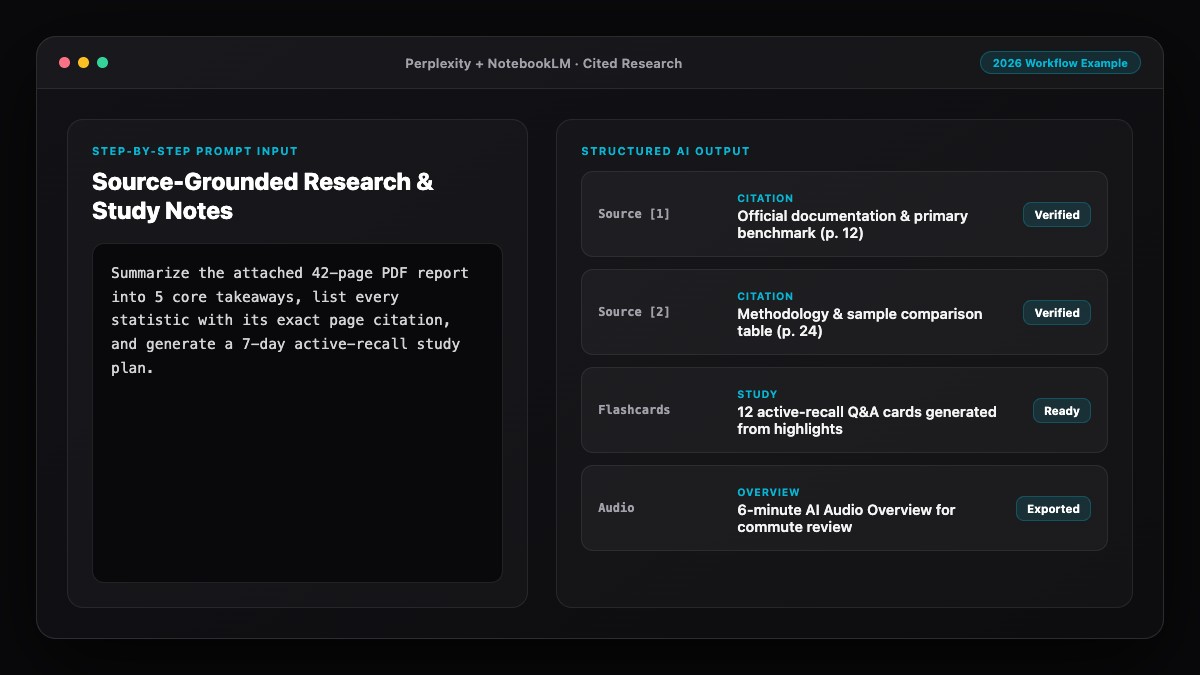
Use these three tested prompts across Perplexity, NotebookLM, and Claude/ChatGPT to speed up discovery, synthesis, and verification.
1. Source-First Landscape Prompt (for Perplexity AI):
Research [TOPIC] using only primary sources published between [START YEAR] and [END YEAR] (peer-reviewed studies, government data, official documentation, or named industry surveys).
Return:
1. A 3-bullet executive summary of the current consensus.
2. Key statistics with exact sample size, year, and publishing organization.
3. Areas where credible sources disagree or data is incomplete.
Exclude SEO listicles, undated blogs, and unsourced claims.
2. Cross-Document Contradiction Prompt (for NotebookLM):
Compare all uploaded sources on [SPECIFIC QUESTION].
Create a structured breakdown showing:
- Claims supported by 2 or more sources (with inline citations).
- Claims supported by only 1 source.
- Direct contradictions in numbers, definitions, or conclusions across the files.
If a detail is missing from the uploaded sources, state "Not covered in sources" instead of guessing.
3. Pre-Publication Fact-Check Prompt (for Claude or ChatGPT):
Review the research summary below and flag every factual claim that requires primary verification.
For each claim, list:
- The exact claim text
- What primary evidence is needed to verify it (dataset, study, official filing)
- Potential red flags (missing timeframe, vague attribution, conflated correlation/causation, or outdated figures).

[PASTE DRAFT SUMMARY]
Common Mistakes to Avoid
- Treating a citation chip as automatic proof: AI search tools sometimes attach a real URL to a sentence that slightly misreads or overgeneralizes the linked page. Always read the cited paragraph yourself.
- Using general chat for live statistics: Asking an offline or non-grounded chat model for "2026 market share numbers" invites fabricated precision. Use live search or uploaded documents for any current data.
- Overloading one prompt with ten unrelated questions: Multi-part mega-prompts dilute retrieval quality. Run focused queries per sub-question, then synthesize.
- Ignoring publication dates: AI summaries frequently blend a 2019 study with a 2025 policy update into one seamless paragraph unless you explicitly filter by date.
- Skipping negative evidence: If you only ask AI to find support for your hypothesis, it will oblige. Always run one dedicated query looking for counter-evidence.
References & Official Sources
All workflows, pricing tiers, and feature capabilities in this guide were verified against the official platform documentation:
- Perplexity AI Official Search Engine (www.perplexity.ai)
- Google NotebookLM Official App (notebooklm.google.com)
- OpenAI ChatGPT Official Platform (chatgpt.com)
- Anthropic Claude Official Workspace (claude.ai)
- Google Gemini Official Assistant (gemini.google.com)
- KwiqRank AI Workflow Integration Guide — Internal methodology for combining AI tools into repeatable business processes.
Final Thoughts
Learning to research faster using AI is not about outsourcing judgment—it is about eliminating manual tab-hopping so you can spend your energy evaluating primary evidence. Start with Perplexity to map verified sources, move those primary files into NotebookLM for citation-pinned analysis, and run a disciplined link-and-number audit before sharing your conclusions. If you also create content that needs to be discovered and cited by these exact AI search tools, explore our Perplexity SEO guide to see how answer engines select and surface trusted sources.
Your questions, answered in plain English
Perplexity AI is the strongest starting point for live web and academic discovery with inline links, while Google NotebookLM is ideal for analyzing uploaded PDFs and reports with strict passage-level citations.
Yes. Free tiers of Perplexity, Google NotebookLM, ChatGPT, and Claude cover most daily research workflows. Paid plans mainly increase daily Pro search limits, deep research runs, and maximum source capacity.
Never rely on ungrounded chat memory for facts. Use citation-first search tools for web discovery, upload primary PDFs into NotebookLM for closed-corpus Q&A, and manually open every cited URL before quoting it.
Yes, when used for literature discovery, outlining, and cross-checking—provided you read and cite the original primary sources directly and follow your institution or organization disclosure policies.
Start with 5 to 15 high-authority primary sources rather than 40 mixed-quality web pages. Curated inputs produce sharper cross-document comparisons and fewer noisy citations.
Standard AI search runs one or two quick queries and summarizes top results in seconds. Deep Research mode executes dozens of iterative sub-queries, reads longer pages, and compiles a structured report over several minutes.
Still curious? Send us your question and a strategist will get back to you.

Want this done for you?
We can put this guide to work on your website. Start with a free audit.
Get my free auditWritten by KwiqRank Team
KwiqRank is a digital marketing agency in Mumbai, India, working with UK and US businesses on SEO, GEO, AEO, paid media and websites. We check facts against official sources, and tell you when something is unconfirmed. Spotted a mistake? Tell us and we will correct it.
Found this useful?
Get recommended by AI search
We check whether Google, ChatGPT and Perplexity can reach your pages, then fix what blocks them. No guarantees, just a clear plan.